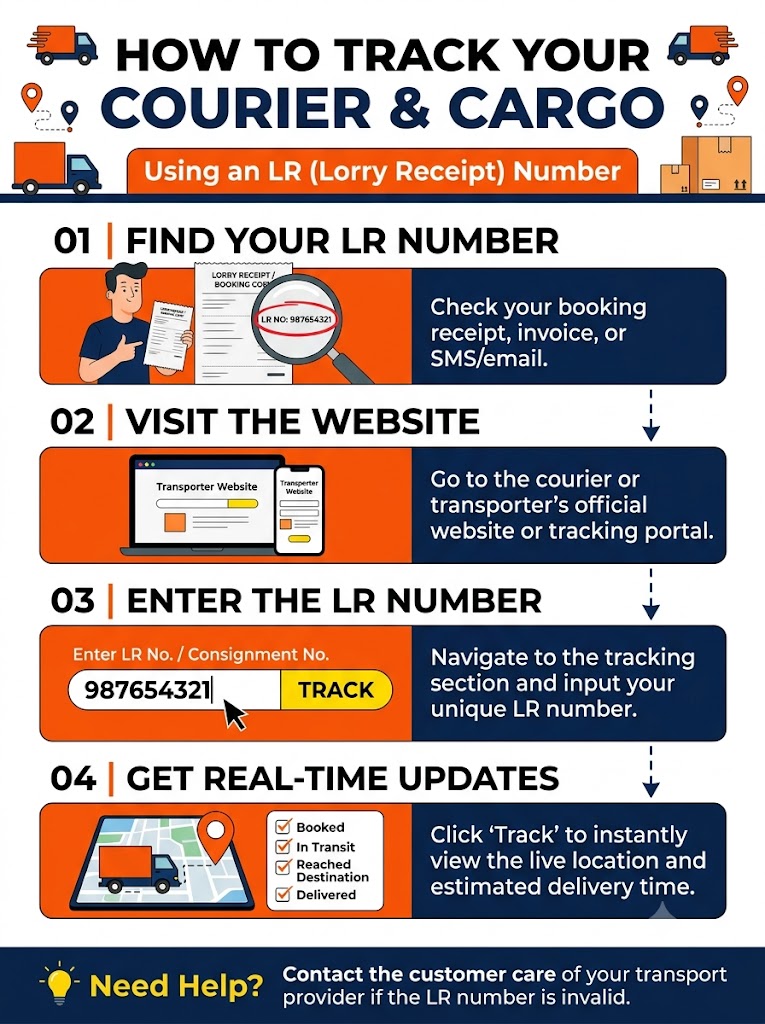
How to Track Your Package Using an LR Numbe
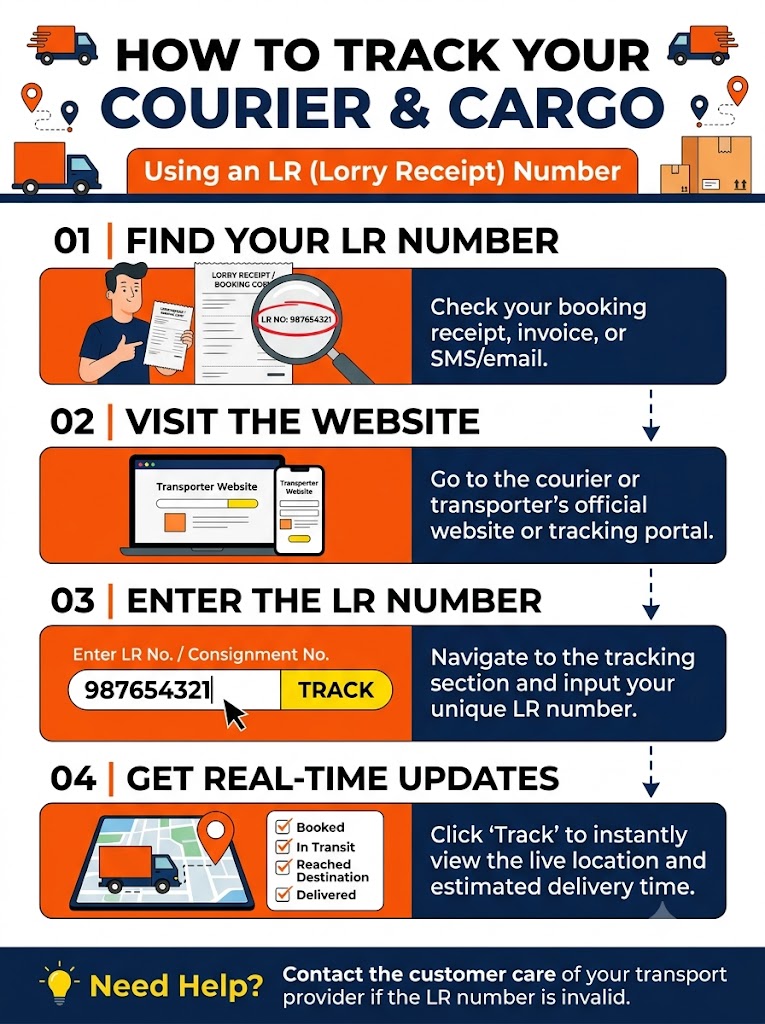
Step-by-Step: How to Track Your Package Using an LR Number
Step 1: Locate Your LR Number Look at the physical receipt or digital PDF (LR Copy) provided by your logistics or packing provider.Look for fields labeled LR No., Lorry Receipt No., Bilty No., or Consignment No.
It is usually located at the top right corner of the receipt document.
Step 2: Choose the Tracking Method
Option A: Official Transporter / Courier Portal Most major surface transport and logistics operators in India (such as VRL Logistics, TCI Express, ARC, Delhivery Surface, Safexpress, etc.) offer self-service tracking on their official portals:
Visit the official website or mobile app of your logistics provider.
Navigate to the Track Consignment or LR Tracking option.
Enter your LR Number without special characters or spaces.
Click Track or Submit to view the live status, current transit hub, and expected delivery date.
Option B: Third-Party Multi-Carrier Tracking Aggregators If your transporter’s website is slow or difficult to navigate, universal logistics aggregators (like TrackCourier, Ship24, or TrackParcel) allow you to enter the LR number and automatically select the carrier to retrieve tracking updates.
Option C: Transporter Customer Support / Branch Helpline For regional or smaller local transporters who do not maintain a live digital tracking portal:
Call the branch contact number printed on the LR receipt (Origin or Destination branch).
Quote your LR Number, Consignor Name (Sender), and Consignee Name (Receiver).
The branch manager can check their internal hub dispatch register to tell you the exact vehicle status or driver location.
🔍 Understanding Typical LR Tracking Statuses When you input your LR number, you will usually see one of the following milestone updates:
Booked / LR Generated: The consignment note has been created, and goods are received at the origin warehouse.
In-Transit / Loaded on Truck: The shipment has been loaded onto a line-haul truck and is moving between transit hubs.
Arrived at Destination Hub: The truck has reached the local warehouse/branch in your destination city.
Out for Delivery: The parcel is loaded onto a local delivery vehicle for final doorstep handoff.
Delivered: Goods have been handed over, and the physical LR copy has been signed by the recipient.
🛠️ What to Do If LR Tracking Is Not Updating? Allow 12–24 Hours for Initial Scan: Unlike express air couriers, surface truck transport updates occur primarily when trucks enter or leave major highway hubs.
Check Vehicle FASTag / GPS Tracking: Many modern logistics providers link the truck's FASTag or GPS to the LR number, allowing fleet managers to confirm highway movement.
Verify the LR Number: Ensure you haven't confused the LR/Bilty number with the booking enquiry number or vehicle registration number.
Keep the Original LR Copy Safe: The physical LR copy acts as your title document—you will need to present or sign it upon physical delivery to claim your goods.
MoveABox Team
Expert team at MoveABox dedicated to making your relocation experience smooth and stress-free. We share professional insights, tips, and best practices from years of moving expertise.